
How to be SOC 2 Compliant in Data Management under Kubernetes
Data is the most critical asset companies own nowadays. Yet many companies only focus on storage and basic backups for data management.
However, a single data breach or loss can cost millions in damages and lost trust. Violating regulations can shut down operations and poor data handling can destroy customer relationships overnight.
In Kubernetes environments, these risks multiply. Dynamic workloads, ephemeral containers, and distributed architectures create new attack vectors. In this post, we guide you to make your data management services compliant to one of the strongest security frameworks for customer data management : SOC2, in a Kubernetes environment.
Table of Contents
- Why SOC 2 Type II Matters (for Data Management)
- The 3 Pillars of Compliant Data Management
- Data Protection
- Data Migration: Multi-Cluster Mobility
- Disaster Recovery
- Key Trust Service Criteria for Data Management
- Suggested Open Source Tools for SOC 2 Compliance
- Common Traps and How to Avoid Them
Why SOC 2 Type II Matters (for Data Management)
SOC 2 Type II compliance isn't just a checkbox exercise. It provides a structured framework for protecting sensitive data throughout its lifecycle. The standard focuses on five key areas: Security, Availability, Processing Integrity, Confidentiality, and Privacy.
For data management, three Trust Service Criteria stand out:
- CC6 (Logical and Physical Access Controls): Who can access data and how
- CC7 (System Operations): How systems monitor and protect data
- CC8 (Change Management): How changes are controlled and tracked
Many organizations think basic backups satisfy compliance requirements which is wrong. SOC 2 demands full data lifecycle management, from creation to secure deletion.
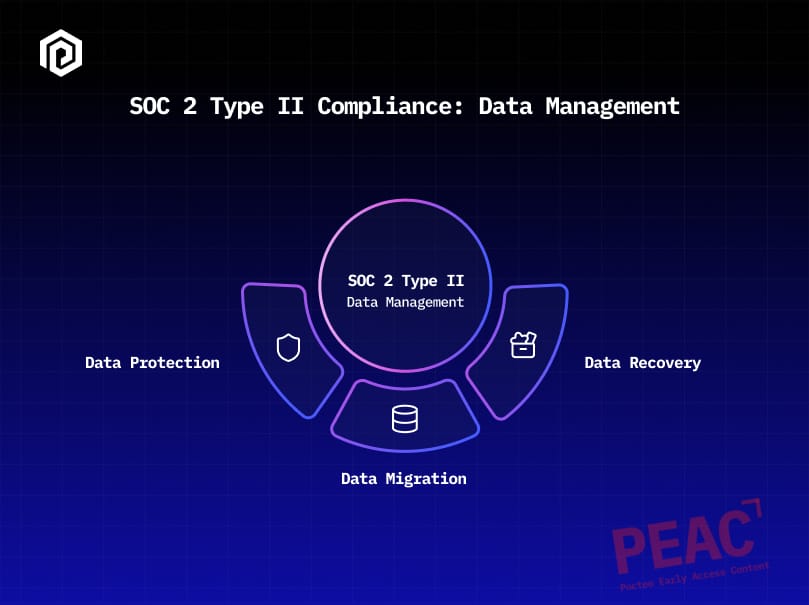
The 3 Pillars of Compliant Data Management
A - Data Protection
Securing data at rest, in transit, and during processing.
B - Data Migration
Moving data safely between environments and clusters.
C - Disaster Recovery
Restoring operations after system failures or attacks.
=> Each pillar requires specific controls, monitoring, and documentation. Together, they create a resilient data management strategy that satisfies SOC 2 requirements.
A - Data Protection
Most companies stick to the basics. They use simple encryption, isolate clusters, and set up basic role-based access. Backups are often routine but not deeply managed.
SOC 2 asks for more. It expects clear rules for data types, full lists of hardware and software, and strict access controls. It also calls for split-up networks plus automatic rules for keeping or deleting data.
Essential Implementation Steps
1. Data Discovery and Classification (CC6.1)
We can use labels to identify and categorize data assets:
# Example: Data classification labels for Kubernetes resources

apiVersion: v1
kind: PersistentVolumeClaim
metadata:
  name: customer-db-pvc
  labels:
    data-classification: "sensitive"
    encryption-required: "true"
It’s also useful to deploy data discovery tools to scan clusters and identify sensitive information automatically:
- Tools like Trivy for scanning container images and Kubernetes resources for vulnerabilities, misconfigurations, and exposed secrets.
- Tools like OpenMetadata for automated PII detection and classification with auto-tagging for sensitive data.
- Custom controllers for automated tagging.
To enforce policies based on these labels, you can use Open Policy Agent (OPA) with Gatekeeper (or Kyverno) to ensure that resources labeled as "sensitive" actually use encrypted storage classes and meet other security requirements.
2. Network Segmentation (CC6.1)
It’s recommended to replace basic cluster isolation with granular network policies. First, we should apply a DENY ALL policy:
apiVersion: networking.k8s.io/v1
kind: NetworkPolicy
metadata:
  name: deny-all-default
spec:
  podSelector: {}
  policyTypes:
  - Ingress
  - Egress
Then, we add specific network policies that allow accesses according to granular required accesses:
apiVersion: networking.k8s.io/v1
kind: NetworkPolicy
metadata:
  name: allow-database-access
spec:
  podSelector:
    matchLabels:
      app: web-app
  egress:
  - to:
    - podSelector:
        matchLabels:
          app: database
    ports:
    - protocol: TCP
      port: 5432
If you’re using Container Network Interfaces (CNIs) that don’t support network policies like K3s’ default Flannel, consider migrating to Calico or Cilium for advanced policy features and better SOC 2 alignment.
3. Access Control Management (CC6.1)
Implement least-privilege RBAC with service-specific permissions:
apiVersion: rbac.authorization.k8s.io/v1
kind: Role
metadata:
  name: backup-operator
rules:
- apiGroups: [""]
  resources: ["persistentvolumes", "persistentvolumeclaims"]
  verbs: ["get", "list", "create"]
- apiGroups: ["snapshot.storage.k8s.io"]
  resources: ["volumesnapshots"]
  verbs: ["create", "get", "list"]
4. Encryption and Key Management (CC6.1)
HashiCorp Vault is a useful open source Secret Management and KMS solution to deploy and use for your secrets and key management. It has advanced features, and you can apply High Availability mode (HA mode) to comply with SOC 2.
It’s also recommended to implement automated key rotation policies and secure key distribution across clusters.
5. Data Retention and Disposal (C1.2)
SOC 2 requires creating automated retention policies (you can use Kubernetes CronJobs along with other tools to implement this).
Implementing secure deletion procedures for persistent volumes and backup data is also required for compliance.
B - Data Migration: Multi-Cluster Mobility
Traditional migration approaches rely on manual processes and shared storage. This creates security gaps and compliance violations.
Essential Implementation Steps
1. Access Control for Migrations (CC6.1, CC6.7)
Dedicated migration service accounts with restricted permissions should be implemented according to the CC6 family.
2. Change Management for Migrations (CC8.1)
GitOps workflow is the way to go for migration approvals.
3. Data Integrity During Migration (PI1.2, PI1.4)
Implement automated validation checks like pre-migration validation scripts.
For instance, the script down below addresses two common risks which are: Running out of storage on the destination PVC and Data corruption or loss during transfer. Thus, we need to check that destination PVC has enough capacity before migration and create a checksum of source data which will be saved for later comparison with the destination checksum in a post-migration script (to verify data integrity).
#!/bin/bash
set -e

SOURCE_CHECKSUM=$(kubectl exec source-pod -- sh -c 'find /data -type f -exec sha256sum {} \; | sort -k2 | sha256sum' | awk '{print $1}')

SOURCE_SIZE=$(kubectl exec source-pod -- du -sb /data | awk '{print $1}')

DEST_CAPACITY=$(kubectl get pvc destination-pvc -o jsonpath='{.spec.resources.requests.storage}')

# Convert to bytes for comparison
DEST_CAPACITY_BYTES=$(echo "$DEST_CAPACITY" | awk '
  /Ti/ {print int($1) * 1099511627776}
  /Gi/ {print int($1) * 1073741824}
  /Mi/ {print int($1) * 1048576}
  /Ki/ {print int($1) * 1024}
')

if [ "$DEST_CAPACITY_BYTES" -lt "$SOURCE_SIZE" ]; then
  echo "ERROR: Insufficient destination capacity"
  exit 1
fi

echo "$SOURCE_CHECKSUM" > /tmp/source_checksum.txt
4. Audit Trail for Migration Activities (CC8.1)
Observability stack should be deployed for migration monitoring. Grafana can be used along with Alloy to ensure compliance of the monitoring points of SOC 2.
C - Disaster Recovery
Most organizations focus only on backup creation. SOC 2 requires covering a large scope of disaster recovery scenarios.
Essential Implementation Steps
1. Asset Inventory for DR (CC6.1)
Maintaining complete inventories of critical systems and data is required. This can be implemented through a disaster recovery asset inventory system that uses a ConfigMap as the configuration source, combined with automated controllers and monitoring.
2. Incident Response for DR (CC7.4, CC7.5)
It’s required to create formal incident response procedures like runbooks that include:
- Assessing impact and scope
- Notifying incident commander
- Executing backup restore procedure
- Validating data integrity
- Updating stakeholders
3. Automated DR Testing (A1.3)
SOC 2 requires implementing frequent and random disaster recovery testing schedules in order to ensure backups are valid.
4. Backup Integrity Validation (A1.3)
Automated backup verification processes should also be implemented through custom scripts that do:
- Backup integrity check
- Verify backup completeness
- Test restore in isolated environment
- Validate restored data
Key Trust Service Criteria for Data Management
CC6.1: Logical Access Security
- Asset inventory management
- Access restriction mechanisms
- User authentication and authorization
- Network segmentation controls
- Encryption for data protection
- Key management and rotation
CC7.1: System Monitoring
- Configuration change detection
- Vulnerability management
- Security policy compliance monitoring
CC7.4 & CC7.5: Incident Response and Recovery
- Incident response procedures
- Recovery plan implementation
- Root cause analysis processes
- Preventive measure implementation
CC8.1: Change Management
- Authorization workflows for changes
- Change tracking and documentation
- Pre-change validation procedures
- Change approval processes
A1.2 & A1.3: Availability Controls
- Backup strategy implementation
- Offsite storage management
- Recovery testing procedures
- Business continuity planning
Suggested Open Source Tools for SOC 2 Compliance
| Backup and Recovery |
Velero for cluster backups Kanister for application-level backups Kopia for file-level backup encryption |
| Security and Access Control |
HashiCorp Vault for secrets management Open Policy Agent for policy enforcement Falco for runtime security monitoring |
| Monitoring and Observability |
Grafana for visualization Alloy for handling telemetry data (replaces Prometheus + Open Telemetry) Elasticsearch for log aggregation |
| Network Security |
Calico for network policies Istio for service mesh security cert-manager for certificate management |
Common Traps and How to Avoid Them
Trap 1: Treating Backups as Complete DR Solution
Many teams think backups equal disaster recovery. This creates false security. Backups store data but don't restore full systems or test recovery speed. You need automated DR testing that runs regularly : Test actual recovery times and validate that restored systems work properly. You should also build recovery playbooks that your team practices monthly.
Trap 2: Manual Migration Processes
Manual migrations invite human error and create bottlenecks. Each step relies on someone remembering the right commands and sequence. Build GitOps workflows that automate deployment steps; add approval gates where humans review changes before they deploy and include automated validation that checks if migrations completed successfully.
Trap 3: Inadequate Access Controls
Broad permissions seem easier to manage but create security risks. When everyone has admin access, you can't track who changed what. You should implement granular RBAC with roles that match actual job needs. Then, give developers deploy access only to their services. It’s also recommended to review permissions quarterly and remove unused access automatically.
Trap 4: Missing Audit Trails
Without proper logging, you're blind when problems occur. You can't trace what happened or when changes were made. That’s why you should deploy an observability stack that captures structured logs from all systems. Also, include audit trails that track user actions and system changes and make logs searchable so your team can debug issues quickly.
Trap 5: Incomplete Asset Inventory
You can't protect data you don't know exists. In this context, you should implement automated discovery tools that scan your network regularly; classify data by sensitivity level and track where sensitive information lives. Also, remember to update your inventory when new systems deploy or old ones retire.
Conclusion
SOC 2 compliance is a long journey that’s worth its length especially when it comes to Data Management. Better security and reliability enhance customer trust and thus create competitive advantages that justify the effort required to achieve SOC 2 Type II certification.
Start with a full assessment of your current state. Identify the biggest gaps in your data management practices. Build implementation plans that address high-priority items first. Most importantly, be agile when it comes to changes required to maintain compliance over time.
Data is your most valuable asset. Protect it accordingly ;)